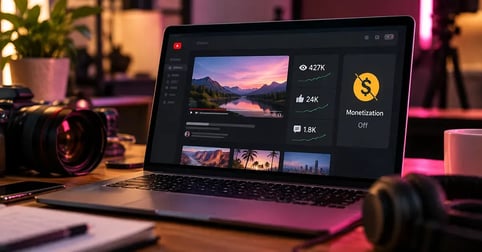
YouTube demonetization means a video, or your whole channel, stops earning ad revenue for you. On a single video it shows up as a yellow or red icon in YouTube Studio. On a channel it means suspension from the YouTube Partner Program, which switches monetization off everywhere. A copyright claim is a different problem: the ads can keep running, but the money goes to whoever owns the music.
The word gets used loosely because YouTube keeps moving the rules. In July 2025 it eased its profanity rule, and its old policy on "repetitious content" was renamed from repetitious content to "inauthentic content." In July 2026 it split that policy into three named categories. From February 1, 2027, new channels face higher Partner Program entry thresholds. Monetization features also aren't available in every location.
This guide covers what demonetization means at the video and channel level, why YouTube applies each one, where music fits in, how to check your status, how to appeal, and what happens to money you already earned.
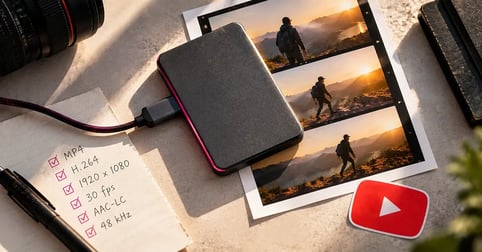
That claim is earning for someone else.
Stop handing a video’s ad revenue to someone else’s claim. Score your next upload from our catalog.

What YouTube Demonetization Actually Means
YouTube demonetization is the removal or restriction of ad revenue on content you upload. It can hit one video, when that video fails YouTube's advertiser-friendly content guidelines, or the whole channel, when YouTube suspends it from the YouTube Partner Program. In most cases the video stays up and keeps getting views. It just stops paying you.
Video-level vs channel-level demonetization
Video-level demonetization is the narrower one. YouTube's systems decide a specific upload isn't suitable for most advertisers, and that video gets limited or no ads. The rest of your channel carries on as normal.
Channel-level demonetization is the serious one. Reviewers decide the channel as a whole breaks YouTube's monetization policies, and every video loses monetization, including ones that would pass on their own. The causes are different and so are the appeal processes, which is why it matters which one you're looking at.
Four things creators call "demonetized"
Most of the confusion comes from four situations that all look like lost revenue. Only two of them are demonetization in the strict sense.
Why YouTube Demonetizes Individual Videos
Individual videos lose ads when YouTube's systems, or a human reviewer, decide they don't meet the advertiser-friendly content guidelines. The check runs automatically when you upload and looks at the video, title, thumbnail, description and tags. YouTube says that check usually finishes in under 20 minutes and at most an hour, though some final decisions take up to 24 hours. No ads show while it runs.
The advertiser-friendly guidelines and the yellow icon
The guidelines cover the topics brands don't want their ads next to, from strong language and violence to adult content. When a video falls short, it gets a yellow dollar icon in YouTube Studio, labeled Limited. YouTube's monetization icon guide says that video may earn less than content suitable for all advertisers.
Context changes the call. YouTube says educational, documentary, scientific or artistic value can change whether a video suits advertisers, and its guidelines say artistic content such as music videos can contain inappropriate language and still be suitable for advertising.
Profanity and the 7-second rule
Until July 2025, strong profanity in the first seven seconds of a video earned a yellow icon. YouTube reversed that, and as reports of the profanity change explained, those uploads are now eligible for full ad revenue. Two limits stayed in place. Profanity in a title or thumbnail still restricts ads, and so does strong profanity used at high frequency.
Titles, thumbnails and tags count too
YouTube assesses every part of an upload, including the title, thumbnail, description and tags, so a clean video with a crude title can still end up limited. If you change a video's metadata after publishing and the new version doesn't suit ads, new restrictions can appear on a video that was already green.
Why YouTube Demonetizes Whole Channels
Whole channels lose monetization when YouTube's reviewers decide the channel breaks its monetization policies. Reviewers can't watch everything, so they look at the channel's main theme, its most-viewed and newest videos, the videos with the biggest share of watch time, its metadata and its About section. A channel-level decision removes monetization from every video at once.
YouTube's channel monetization policies now name four content problems that can cost a channel its place in the Partner Program. Three of them came out of the July 2026 monetization update, which YouTube described as a clarification rather than a ban on AI. The fourth, reused content, is older, and it matters most if your channel runs on other people's songs.
Generic or repetitive content
Generic or repetitive content is YouTube's label for channels whose videos feel interchangeable. YouTube's examples include templated storylines, image slideshows or scrolling text with little narrative or commentary, and AI-generated videos built from generic templates that give the impression of mass production. A shared intro and outro is fine. What matters is whether each video delivers something different.
The format most exposed here is the faceless YouTube channel: stock footage, a voiceover and a music bed, repeated at volume. Going faceless isn't the problem. Sameness is. If three of your uploads could swap titles without anyone noticing, that's the pattern the policy describes.
Unsatisfying or off-putting content
This category covers videos built on emotionally manipulative formulas, formats copied so closely that the videos feel interchangeable, and shock designed only to get views. YouTube's own example is a series of animals in exaggerated distress. It also names realistic fake visuals, such as a staged celebrity death or natural disaster, and unrelated AI clips stitched together to surprise viewers. The trigger is the formula, whether or not AI made it.
AI personas on sensitive topics
Channels that use an AI-generated persona presented as a human expert, giving advice on health, legal issues, finances or politics, can't monetize. YouTube's examples are an AI "doctor" offering diagnoses, AI podcast hosts giving investment tips, and AI personas interpreting laws. The category is narrow, but inside it there's no quality bar to clear. The content simply isn't eligible.
Reused content, and why a license doesn't cover it
Reused content is material taken from YouTube or another source without significant commentary, modification, or educational or entertainment value added. YouTube says this policy is separate from copyright enforcement and isn't based on copyright, permission or fair use. A channel can draw zero copyright claims and still fail it, because the question is originality, not ownership.
That has a direct consequence for music. YouTube lists "collections of songs from different artists (even if you have their permission)" as not monetizable, along with songs changed in pitch or speed but otherwise identical. A properly licensed track solves your copyright problem. It doesn't make a video original. The video still needs something you made on top of it.
Inactivity and missed terms
Two quieter ways to lose monetization have nothing to do with what's in your videos. The first is activity. Right now, YouTube can remove monetization from a channel that hasn't uploaded or posted for six months or more. From February 1, 2027, a channel counts as active if it has 1,000 qualified watch hours in the past 365 days, 1 million qualified Shorts views in the last 90 days, or uploads two long-form videos or five Shorts every 90 days. Channels that drop below get a 90-day window to recover through watch hours or Shorts views.
The second is paperwork. Existing partners have to accept YouTube's updated terms in YouTube Studio by January 31, 2027, or they stop earning from the associated features on February 1, 2027. Entry thresholds for new channels change that day too, as YouTube's announcement of the 2027 Partner Program changes sets out. Our breakdown of YouTube monetization requirements covers both tiers.
Where Music Fits: Claims, Strikes and Lost Revenue
Music costs creators revenue on YouTube in two ways, and neither one is demonetization in the strict sense. A Content ID claim lets the rights holder take the revenue on one video, track it or block it, without touching your channel. A copyright strike follows a legal removal request, takes the video down and can affect your channel's standing. YouTube says Content ID claims don't result in a strike.
Claims also land on licensed music. YouTube's Content ID system matches audio at upload, and a license gets reconciled after the match, not before it. That's normal and fixable, and the fix is clearing the claim rather than appealing anything. If the music came from Soundstripe, the steps for clearing YouTube copyright claims with Soundstripe are in our walkthrough.
How to Check If You're Demonetized
In YouTube Studio, open Content and read the Monetization column. A green icon means monetized, yellow means limited, and red or gray means not monetized. Use the Monetization filter and check Limited to list every yellow-icon video at once. For channel-level status, open the Earn section, which shows the policy your channel was found to violate and, if you've been suspended, the date your appeal window closes.
How to Fix Demonetization on YouTube
The fix depends on which state you're in. A yellow icon gets a human review, and after one appeal the reviewer's decision is final. A Partner Program suspension gets one appeal, filed within 21 days and answered within 14 days. If it's rejected, you can reapply 90 days after the suspension date. A claim or a strike goes through the copyright process instead.
Appealing a yellow icon
Before you ask for a review, check the video against the guidelines yourself, including the title, thumbnail, description and tags. If it meets the criteria for content that can earn ad revenue, request a human review in YouTube Studio and you'll get the decision by email. Don't delete and reupload the video to reset the icon. YouTube says that won't help.
For a channel suspension, YouTube's guide to how you appeal a YouTube Partner Program suspension sets the deadlines. The process runs in this order.
How to Appeal a YouTube Partner Program Suspension
- Read the violated policy in the Earn section
Open YouTube Studio and go to Earn. The monetization overview names the policy YouTube says your channel violated and shows your appeal deadline next to the Start appeal button.
- Review the channel without deleting videos
Compare your main theme, newest videos, most-viewed videos and highest-watch-time videos against the monetization policies. Don't delete anything first, because YouTube assesses the channel in its current state.
- Record an unlisted appeal video
Show how you make your content, from filming to editing, and connect it to other videos on your channel. Upload it as unlisted, copy the URL, and keep all appeal information in the video rather than the description.
- Start the appeal within 21 days of suspension
In Earn, click Start appeal and submit your video URL before the deadline. You can also appeal by contacting Creator Support from YouTube Studio.
- Wait for the decision and reapply if rejected
YouTube responds within 14 days. If the appeal succeeds, monetization comes back within 30 days. If it's rejected, you can reapply 90 days after the suspension date.
What not to do
Two moves make things worse. Deleting videos before you appeal changes the channel the reviewer sees. Starting a new channel, or using another one, to get around a suspension breaks YouTube's creator responsibility rules and can get every channel you run terminated.
What Happens to Money You Already Earned
Losing monetization stops new ad revenue, and it can reach back. YouTube's policy lets it withhold, adjust or charge back earnings tied to a violation, including against an AdSense balance that hasn't been paid out yet, and payments can be delayed up to 90 days while it investigates. A channel suspended or terminated from the Partner Program is no longer entitled to earn revenue.
If ad revenue is a real part of your income, the useful number is what a month of it is worth before anything goes wrong. Our breakdown of how much YouTube pays for 1 million views walks through the math by niche and format.
Give the next review something original.
Make the next upload yours from the first frame. Find a track that fits it in the Soundstripe catalog.
Frequently Asked Questions
It means a video or your whole channel stops earning ad revenue for you. A single video gets a yellow or red icon in YouTube Studio, while a channel gets suspended from the YouTube Partner Program. In most cases the video stays up and can still be watched.
Individual videos lose ads for failing the advertiser-friendly content guidelines, for example with profanity in a title or thumbnail. Whole channels lose monetization for breaking YouTube's monetization policies, which since July 2026 name generic or repetitive content, unsatisfying or off-putting content, and AI personas on sensitive topics, alongside reused content.
First work out which kind you have. For a yellow icon, check the video against the guidelines and request one human review in YouTube Studio. For a Partner Program suspension, appeal from the Earn section within 21 days, and if the appeal is rejected, reapply 90 days after the suspension date.
It's a profanity rule. Until July 2025, strong profanity in the first seven seconds of a video limited its ads. YouTube changed that, and those videos can now earn full ad revenue. Profanity in a title or thumbnail, and strong profanity used at high frequency, still limit ads.
No. YouTube says choosing not to monetize isn't a legitimate reason to dispute a copyright claim, and the rights holder can still claim the video or request its removal. You need the necessary rights to the music whether the video earns or not. Our guide on how to use copyrighted music on YouTube covers the options.