Playlists

Great tracks. Right where you left them.

Save any track in one click and sort your favorites by client, project, or mood. Stay organized, stay sane.
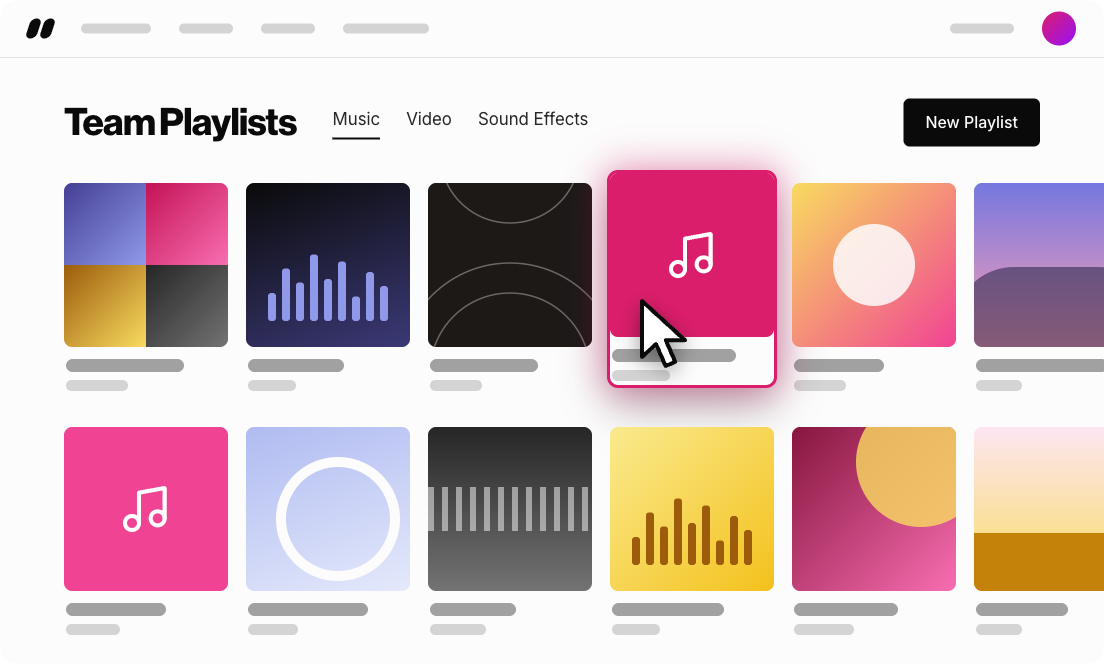
Playlists hero · Pink@1x-1

See it in action

Your next favorite should be easy to find again.

How to save tracks and build playlists you'll actually use.

Skip to features
The problem

Your next favorite should be easy to find again.

You hear a track that's perfect for a project you haven't even started yet. Two weeks later you're digging through search history, trying to remember a title you never wrote down. Great music is only useful if you can find it again.

How it works

Save it now. Find it when you need it.

  1. Playlists · Step 1 · Pink@1x

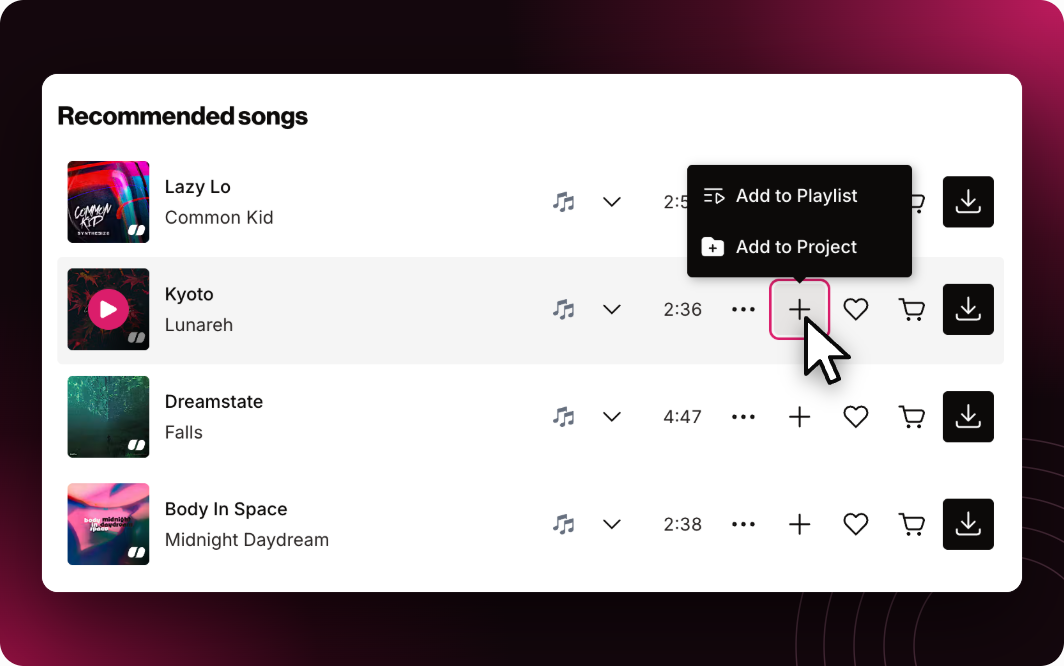
    Hover and save

    Hover over any track and click the save icon.

  2. Playlists · Step 2 · Indigo@1x

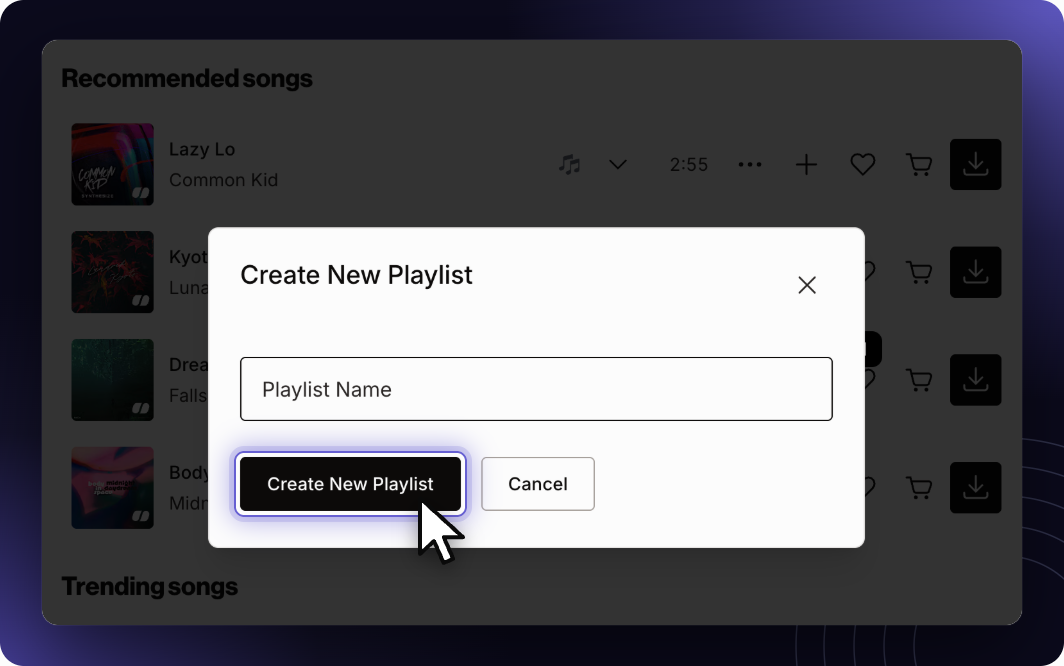
    Pick a home

    Drop it into an existing playlist, or start a new one on the spot.

  3. Playlists · Step 3 · Pink@1x

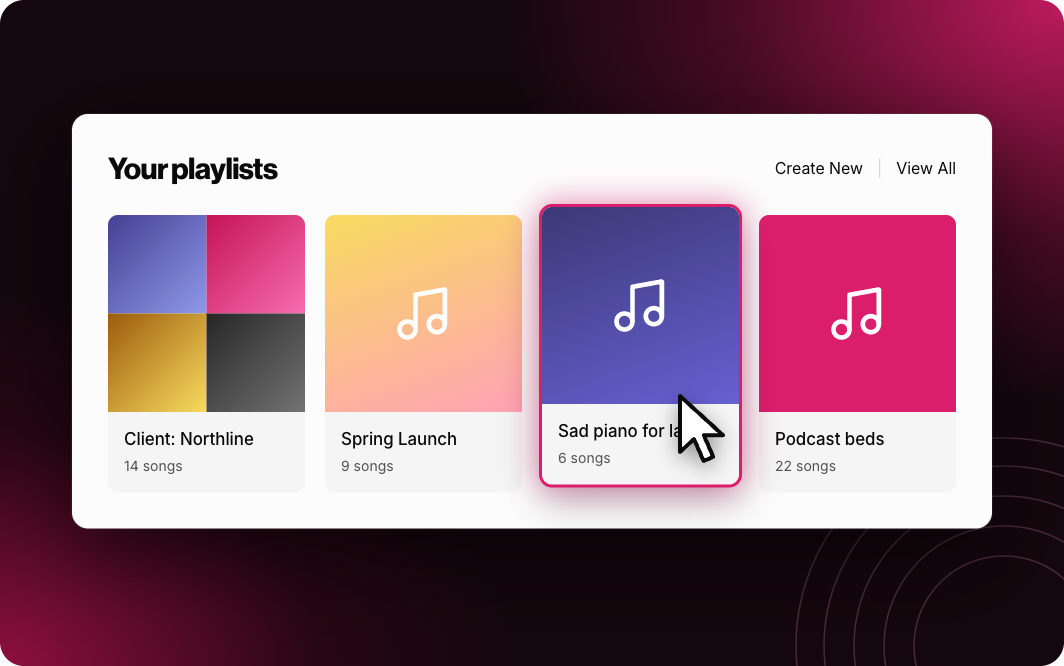
    Build your library

    Sort playlists however your brain works: by client, by project, by “sad piano for later.”

  4. Playlists · Step 4 · Indigo@1x

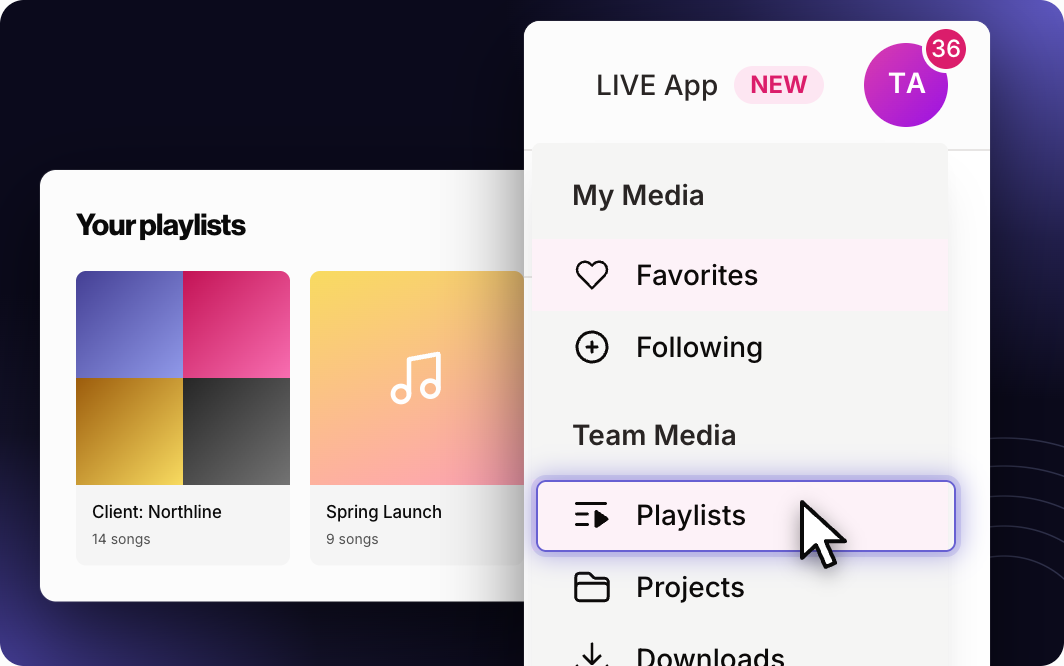
    Come back anytime

    Your saved tracks are waiting, no search history required. Find them on you dashboard or in your profile menu.

What teams are saying

  • Soundstripe makes it easy to search, edit, and license the perfect music for your videos. If you're ready to elevate your production, go to Soundstripe.
    Nicole ShapiroFilmographer and Creator

Soundstripe by the numbers

Real music, from real artists.

Every track in the catalog is made by real artists (Grammy winners included) and mixed in Nashville. The AI helps you find the music. It doesn't make it.

120K
tracks
1.5M
creators and creative teams
400B
video views
$13M+
paid to artists

FAQ

A few things you might be wondering

Is there a limit to how many playlists I can make?

No. Make as many as you need.

Can I share a playlist with a client?

Yes. Send a client the playlist link so they can listen and weigh in.

What's the difference between a playlist and a project?

Playlists are your go-to stash, easy to share with a link. Projects are built around one deliverable, with collaborators and permissions for your team or client. Explore Projects

Do I need a paid plan to save tracks?

No. Free accounts can save tracks and build playlists. You'll need a paid plan to download the full, unwatermarked files.

Can I save sound effects too?

Yes. Sound effects can go into playlists and projects alongside your tracks.

Start your stash of favorites.