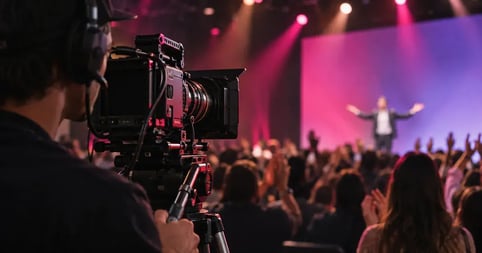
A highlight video is a short cut of the best moments from an event or campaign, built so someone who wasn’t there feels what it was like. To make one, plan your must-get moments before the event, capture soundbites and crowd reactions on the day, pick music that matches the energy of what actually happened, open on your strongest moment, and cut a version for every channel it will run on.
This guide is for event and brand highlight videos: conferences, product launches, activations, sponsor recaps and year-in-review cuts. Athlete recruiting reels for college coaches are a different job and aren’t covered here.
This guide covers how a highlight differs from a recap, a step-by-step process for events, what changes for brands, choosing the music, the licensing trap in cutdowns and length by channel.
Match the music to the moment
Find a track whose build lands right where your event peaked, with room left for the soundbites.
What is a highlight video?
A highlight video condenses an event, campaign or season into its peak moments, usually set to music, so a viewer who wasn’t there feels the energy. It looks back at something that already happened. That’s what separates it from a sizzle reel, which sells something that isn’t finished or public yet to a small audience that can approve it.
Highlight video vs event recap
Cvent’s guide to event videos draws the line cleanly. The event highlight video is how you’d sum up an event in about 90 seconds, carried by crowd energy, speaker entrances and unscripted moments set to music. It evokes rather than explains. The recap is the educational asset, built from key takeaways, speaker quotes and summaries of popular sessions. Most events need both. Decide which one you’re cutting before you open the timeline.
Cutting game-day or season highlights instead? Start with our picks for football highlight music.
How to make a highlight video for an event
Making an event highlight video takes seven steps, starting before the doors open. Set the goal, write a must-get list, capture soundbites and room sound on the day, log the footage for peak moments, choose music that matches that energy, rough cut with the strongest moment first, then mix and export a version per channel. The capture plan does most of the work.
How to make a highlight video for an event
- Decide who the video is for and what it should make them do
Attendees, next year’s registrants and sponsors each want a different cut. Pick one primary viewer and one action, like registering for next year. That choice sets length, tone and channel.
- Write a must-get list before the event starts
List the moments you can’t miss: the keynote walk-on, the reveal, crowd reactions, sponsor signage, the closing moment. Order it by the run of show so whoever is filming knows where to be. Our shot list template works for this, and for events it becomes a checklist ordered by the timeline.
- Capture soundbites, reactions and room sound on the day
Grab short attendee and speaker soundbites on lavalier or handheld mics, and record room tone. Put one person in charge of capture so unplanned moments get flagged while they’re still happening. Crew, gear and AV coordination are covered in our guide to filming an event video.
- Log the footage and mark the peak moments
Go through everything once and mark where the room got loud, where it went quiet, and which shots carry the most meaning. That list is your energy map: it tells you what leads and what the music has to do.
- Choose music that matches the energy of what happened
Shortlist tracks whose build and drops line up with the peaks you logged, then test each one against your two or three strongest shots. The music section further down covers how to choose.
- Rough cut with your strongest moment first, then tighten
Open on the peak, not the venue exterior. Vary shot lengths so the cut breathes, and pull anything that repeats a point you’ve already made. The split between metric and rhythmic cutting, covered in our piece on montage video, applies directly here.
- Mix the soundbites over the music and export a version per channel
Lower the music under every soundbite, then export a horizontal master plus vertical or square cutdowns at each channel’s length. The length section further down has the numbers.
How to make a highlight video for a brand
A brand highlight video recaps a launch, activation, campaign or year so the brand can reuse the moment as marketing. The process is the same as an event highlight. What changes is approvals, brand assets like logo lockups, type and color, and the license scope on every track and clip, because the finished video runs as brand content wherever the brand posts it.
Product launches, pop-ups, sponsor activations and year-in-review cuts all fit this format. If you’re telling the brand’s core story rather than recapping a moment, that’s a full brand video, which is a different project.
For events with sponsors, the highlight is also inventory. In an interview with IAEE, John Wilson of CNTV said many organizations think of event video as a daily highlight reel or sizzle, while the ones seeing the most success build video into year-round attendee acquisition, sponsor value and member engagement. Sponsored daily highlights are one way in.
How to choose music for a highlight video
The music in a highlight video should follow the energy of moments that already happened, not impose a mood on them. Pick a track whose build lands where the event peaked, keep it instrumental or sparse under soundbites, and let natural sound like applause or a crowd roar play on its own when it hits harder than any track could.
Match the track to the event’s energy arc
Use the energy map from your log. If the room peaked at a product reveal two-thirds of the way through, you want a track that builds toward something around that point, not one that peaks in its first chorus. A sizzle reel can pick the track first and cut to it. A highlight has to respect what actually happened, so test tracks against the real peaks first.
Natural sound counts as part of the score. A few seconds of real applause with the music pulled out proves the moment happened.
Leave room for voices
Soundbites carry the story, so the music has to step back when someone talks. Auto-ducking in Premiere adds keyframes in the Essential Sound panel that lower the music during dialogue. Music stems go further: drop the melody or drums under a line, then bring them back for the next shot.
Cut the track to the edit, not the edit to the track
Beat Detection in Final Cut Pro maps a song’s parts, bars and beats and can trim a music clip to your edit’s duration without perceptible breaks. Working by hand? Here’s how to cut music for video to the length you need. For beat-level scoring technique, the sizzle reel guide goes deeper.
Licensing music in a highlight video you’ll publish
A highlight video that a brand or event publishes is commercial use, so the music needs a license that covers every channel and every cutdown it will run in, not just the first post. Check it against the full distribution plan before you lock the cut.
YouTube makes the stakes concrete. Under its current Shorts policy, any square or vertical upload up to three minutes is classified as a Short, and any Short over one minute with an active copyright claim of any type is blocked globally. A vertical cutdown over one minute that picks up a claim on its music doesn’t just lose monetization. It doesn’t play anywhere on YouTube.
If it might run as an ad, read up on music licensing for social media and ads before you pick the track.
How long should a highlight video be?
There’s no single right length. Cut a master, then shorter versions for each channel. Cvent frames the event highlight as about 90 seconds and recommends keeping LinkedIn videos under a minute and email videos to 20 to 30 seconds. Wistia’s 2026 State of Video report points the same way: the shorter the video, the higher its engagement rate, meaning viewers watch a larger share of it.
Orientation matters as much as length. Cvent recommends square or vertical for social and landscape for YouTube and your website. Wistia found 76% of teams adjust aspect ratio depending on where they post, and vertical HD uploads to its platform rose 24% year over year. Frame wide enough on the day to crop a vertical version without losing the subject.
Make every cutdown land
Land every cutdown’s title cards and transitions with impacts and risers from 100K+ sound effects.
Highlight video FAQ
A highlight video is a short cut of the best moments from an event, campaign or season, usually set to music, built so viewers who weren’t there feel what it was like. It looks back at something that already happened, unlike a sizzle reel, which sells something that isn’t finished yet.
A highlight video evokes and a recap explains. Cvent describes the highlight as how you’d sum up an event in about 90 seconds, with music doing much of the work, while the recap carries key takeaways, speaker quotes and session summaries. Most events need both, cut from the same footage.
Cut a master of about 90 seconds, then shorter versions per channel. Cvent recommends keeping LinkedIn videos under a minute and email videos to 20 to 30 seconds. On YouTube, square or vertical uploads up to three minutes count as Shorts, and a Short over one minute with an active copyright claim is blocked.
Music that follows the energy of what actually happened works best. Choose a track whose build lands where the event peaked, keep it instrumental or sparse under soundbites, and lower it whenever someone speaks. If a brand or event will publish the video, license the music for every channel and cutdown it will run in.
AI tools can help, mostly by speeding up the search for moments with transcript search, text-based editing and suggested clips. They can’t judge which moment mattered to your audience, and they don’t license music. Use AI to build a shortlist, then choose the moments, the music and the order yourself.