Background music for presentations is legal when you have permission for every way your audience hears it. Putting a song inside a deck, a video or a file you send is a copying question. Playing it out loud to a room, or streaming it to a webinar, is a public performance question, and a license for one doesn't automatically cover the other.
Presenters get caught here because a deck feels private. But a conference room full of people isn't private, and neither is the file once it leaves your hands. The same track can be fine in one format and a problem in another.
This guide covers the two rights that matter, how each format uses them, the classroom exemption, free music, choosing a track that sits under your voice, and adding it in PowerPoint and Google Slides.
Exporting your deck as a video?
Turning your deck into a video? Find an instrumental track that sits under your narration.
Can you use copyrighted music in a presentation?
You can use copyrighted music in a presentation only with permission for each right the presentation uses, unless a legal exception applies. Two rights matter for presenters: the right to copy the work and the right to perform it publicly. Embedding a track in a slide deck or rendering it into a video makes a copy. Playing it to an audience, or transmitting it to one, performs it.
Most recordings also carry two copyrights at once: one in the musical work (the melody and lyrics) and one in the sound recording itself. Permission has to cover both. If you're unsure whether a track is protected at all, here's how to tell if a song is copyrighted.
Your presentation format decides which license you need
The format you deliver in decides which rights you're using. A deck played aloud in a room performs the music to the people there. A live webinar transmits it to people somewhere else. An exported video fixes the music into a new work you'll share. A shared deck file hands every recipient a copy of the track. Each one raises a different licensing question.
Playing music out loud in a meeting room or venue
Copyright owners hold exclusive rights to reproduce and to perform a work publicly. A performance is public when it happens somewhere open to the public, or anywhere a substantial number of people outside a normal circle of family and acquaintances gather. Congress's committee report on the 1976 Copyright Act says routine business meetings fall outside that, because they don't gather a substantial number of people. A conference session, a client event or a trade show is different.
Those performances are usually licensed through a performing rights organization. BMI's performing rights license for meetings and conferences covers events like seminars, conferences and expositions, and counts recorded music played as part of audio-visual presentations. That license grants performance rights only. It doesn't give you the right to copy a track into your deck, so a performance license for the room and a music license for your file are two separate permissions. Ask the organizer which licenses the event holds before you plan a soundtrack around them.
Live webinars and streamed talks
A live webinar is a transmission, and transmitting a performance to the public counts as a public performance even when every viewer is in a different place. That puts webinars in the same territory as any live stream, and the rules in our guide to music licensing for live streaming apply. Check your music license's terms for livestreams before you go live. Once the recording is archived and posted, it's a video, and it's licensed like one.
Recorded and exported presentations
Exporting a deck turns your slides and soundtrack into one audiovisual work. That is what a sync license is built for: music fixed into media you created. If the presentation promotes a product, a client or your company, you're in commercial territory, and it's worth knowing what royalty free music for commercial use actually covers.
Sending the deck file itself
A PowerPoint file with embedded audio carries the track inside it, so sending the deck sends the music too. That's a copy and a distribution, not just a performance. Check whether your music license lets you share a track in a form other people can pull out and reuse. If you're unsure, export to video before you send anything and keep the editable deck in-house.
Is a school or classroom presentation fair use?
U.S. law has a specific exemption for performances by teachers or students during face-to-face teaching at a nonprofit school, in a classroom or similar place devoted to instruction. It doesn't reach school assemblies or graduations, profit-making schools, or a recording posted for the public. Fair use is a separate, case-by-case defense, and there's no fixed amount of a song you can count on being safe.
The face-to-face teaching exemption covers performing the music in class. Congress's notes on it say it isn't meant to sanction unauthorized copies made for classroom use, so the exemption that covers playing a song doesn't cover ripping it into the file. It also stops at the classroom door.
Outside that exemption, fair use weighs four factors: the purpose of the use, the nature of the work, how much of it you take, and the effect on the market for the original. Read the Copyright Office's fair use guidance and you'll see it says plainly that no formula sets a safe percentage or amount. Nonprofit status doesn't settle the question either, which is the core of our guide to using copyrighted music for nonprofits.
Free and "no copyright" presentation music: what to check first
Free presentation music still comes with license terms. Some free tracks require credit to the artist, some exclude commercial use, and some forbid edits. Public domain music and Creative Commons music aren't the same thing either: public domain works are no longer under copyright, while Creative Commons tracks are still copyrighted and licensed on stated conditions. Read the terms before a track goes in your deck.
Save a copy of each track's license with the presentation file. For a fuller look at what free sources do and don't let you do, see our guide to non-copyright music, and for older works, what makes public domain music usable.
How to choose background music that sits under your voice
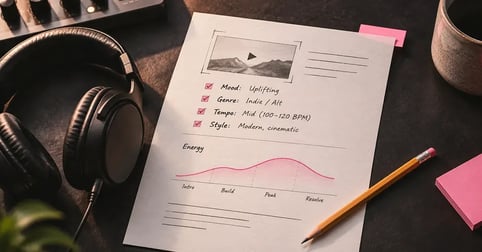
Background music under a presentation should support the speaker, not compete with them. Instrumental tracks work best under speech, because lyrics fight your words for the audience's attention. Look for a steady track without a strong lead melody, match its energy to the section you're in, and keep one sound across the whole deck so the music never calls attention to itself.
Volume is where most presenters go wrong. Set it low enough that the back row hears your voice first, and rehearse in the room with the music running if you can. The same thinking applies to narrated video, and the guide to music for explainer videos goes further on choosing simple tracks that leave room for a voice.
Adding background music in PowerPoint and Google Slides
PowerPoint can play one track in the background across your whole deck. You insert the audio on the first slide, switch on Play in Background, and optionally tell it to stop after a set number of slides. Music from the web has to be downloaded to your computer first. Microsoft's instructions for playing music across slides cover Windows, Mac and the web version.
How to add background music to a PowerPoint presentation
- Download the licensed track to your computer
Save the track you're licensed to use as a file on your computer. Music from the web has to be downloaded before PowerPoint can use it.
- Insert the audio file on the first slide
Open the slide where the music should start. On the Insert tab, select Audio, then Audio on My PC, choose the file and select Insert.
- Turn on Play in Background
Select the audio icon on the slide. On the Playback tab, select Play in Background. The track starts automatically when the slide show begins and keeps playing as you advance.
- Stop the music after a set number of slides
To end the music partway through, open the Animations tab and the Animation Pane, double-click the audio item, and on the Effects tab under Stop playing, choose After and enter the number of slides (up to 999).
- Set the volume well below your speaking voice
Turn the track down, then rehearse with it running. If you have to raise your voice to be heard over it, it's still too loud.
- Export the deck as a video before you send it
Select File, then Export, then Create a Video. Choose a quality, select Create Video, and save it as an MPEG-4 or Windows Media Video file. Recipients get one finished file instead of your deck.
Adding background music in Google Slides
Google Slides takes .mp3 and .wav files stored in your Google Drive. Upload the track to Drive, then use Insert and Audio in your presentation and pick the file. If someone else will present the deck, share it with them so they can play the embedded audio. Google's help page on adding audio in Slides has the current steps and sharing settings.
Why exporting to video is the safer way to share
Exporting gives every viewer the same finished file, with no source files attached and no audio link to break. Before you export, make sure the music is embedded: media inserted in older versions of PowerPoint is linked rather than embedded, and it's dropped from the video unless you convert it first. Microsoft explains how to turn your presentation into a video, including the export settings. Once it's a video, the same choices apply as for any music for corporate videos you'd make.
This guide covers U.S. copyright law and isn't legal advice. Rules on public performance and educational use differ by country, so check local rules if you're presenting outside the U.S.
Music that leaves room for you
Find background music for your next presentation: steady instrumentals that leave room for your voice.
Frequently asked questions
Only with permission for each right your presentation uses, or under a legal exception. Embedding a song in a deck or video copies it, while playing it to an audience or a webinar performs it publicly. Those are separate rights, so a license for one doesn't automatically cover the other.
Usually, yes. Playing music to a conference audience is a public performance, which is typically licensed through a performing rights organization by the venue or organizer. That license covers performance only, so you still need the right to copy the track into your deck or video.
Not automatically. U.S. law exempts performances by teachers or students during face-to-face teaching at a nonprofit school, in a classroom. Assemblies, graduations, profit-making schools and recordings posted for the public fall outside it, and fair use is a case-by-case test with no safe amount.
Only if its license allows commercial use. Free tracks can require artist credit, exclude business use or forbid edits, and Creative Commons music is still copyrighted. Read each track's terms before it goes in your deck, and keep a copy of them with the file.
Yes, if your license covers it. A live webinar transmits a performance to viewers in different places, which still counts as a public performance. Check your music license's terms for livestreams, and remember that the archived recording becomes a video once it's posted.