

How to Add Music to Instagram Posts, Stories, and Reels
To add music to an Instagram post, pick your photo or video, tap Next until you reach the final…

Switch to a professional account and the music picker changes. What you can reach after that depends on three things at once: whether the profile is a business or a creator account, whether you are posting a Reel, a Story or a feed post, and which country you are in. A track you license yourself answers all three, because it is already in the file before Instagram sees it.
Three placements, three different jobs. A Reel needs the hook inside the first second and a loop that comes back around without an audible seam. A Story has fifteen seconds and usually somebody talking over it, so the track has to sit underneath rather than compete. A feed post gets scrolled past on mute as often as not. Six from the catalog to give you the idea, and the catalog runs a lot deeper than six of anything.
Pause
Because Instagram treats a professional account as a commercial one, and the licences behind the in-app library were written for personal posting. The catalog narrows instead of warning you, so the usual way to find out is that a track you used last month is no longer in the picker.
Instagram's music licences cover somebody sharing their weekend, not a business promoting something. Switch the profile to business or creator and the commercial-safe library is what is left. Post type and country move the line again: the same track can be there in a Story and missing from a Reel, or fine for a colleague abroad and gone for you. Searching harder inside the app does not fix that.
Instagram has added a royalty-free category to the audio picker, and Meta's help centre puts its Sound Collection at over 14,000 songs and sounds cleared for Reels and Stories. It works, it costs nothing, and for a small account it is a reasonable place to start. Every other professional account reaches the same shelf, so the music meant to make your feed yours is what somebody heard three Reels ago.
Audio taken from inside the app is cleared for the app. Post the same cut to TikTok or Shorts and you are outside what you were given, and putting spend behind it is a different question again. A licensed track travels with the file, which is why one edit clears four platforms instead of one.
Start a free account, download a track, and read the license before you post anything.
Account types, copyright, and picking tracks that fit your feed.
To add music to an Instagram post, pick your photo or video, tap Next until you reach the final…

Music for Instagram ads and sponsored posts has to be licensed for commercial use, and the trending…

The Instagram music library is four catalogs sharing one search bar. It holds licensed songs from…
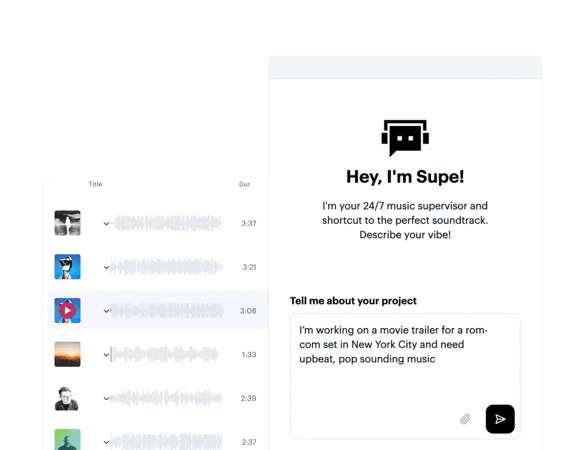
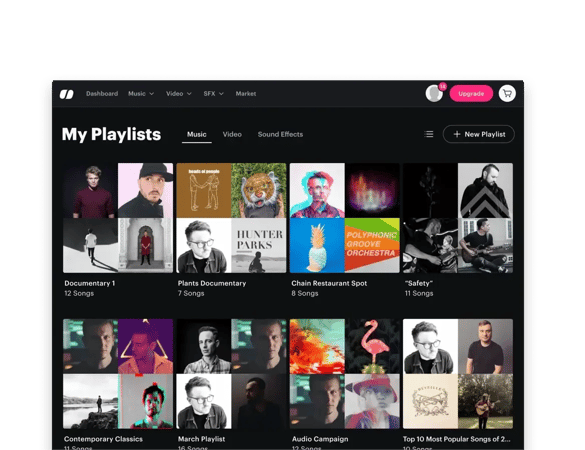
Download it from a licensing catalog and add it to the video before you upload, rather than picking a sound inside the app. Soundstripe holds 116,000 tracks by real artists, and every download issues a license in your name. Filter by genre, mood and tempo, or describe the post and let Supe, our search tool, find it. The track lands as a file on your machine, so it is in the edit by the time Instagram sees it.
Because the profile is set to business or creator, and Instagram narrows the audio library for accounts it treats as commercial. The full library is licensed for personal posting, so the commercial-safe collection is what a professional account is left with. It is removed rather than left there to misuse, which is why the track you used before switching does not come back when you search for it.
Yes. A track you have licensed yourself is not part of Instagram’s library, so the limits on that library do not apply to it. You add the audio in your editing app and upload the finished video rather than picking a sound in the app. Instagram may ask you to confirm you hold the rights to audio you uploaded, and your license document is what backs that up.
Music from Instagram’s own commercial-safe collection, or music you hold a license for. Both are cleared. The practical difference is reach: in-app audio is cleared for Instagram, while a track you license yourself is cleared wherever you post it. Commercial releases and trending sounds sit outside both categories for any account that is promoting something, whatever the sound page suggests.
Yes, and on Shorts, and anywhere else the same cut goes. One license covers every platform you publish to, which is the practical gap between licensing a track and borrowing one from an in-app library. Audio pulled from inside Instagram is cleared for Instagram and nothing else, which is where most cross-posting problems start. The file does not change between platforms, so neither does the paperwork.
Yes, by adding it to the video before you upload rather than through the in-app picker. Anything already mixed into the file is treated as part of your video, which is how licensed tracks get onto a professional account at all. Uploading audio you do not have the rights to is the same problem it always was, so what matters is holding the license, not the route in.
Join creators who score their work with Soundstripe.