From big-budget feature films to YouTube videos discussing the Lord of the Rings trilogy, the voice-over is a versatile tool used by filmmakers, content creators, and all types of video marketers. It’s a great way to convey a lot of information concisely and quickly, and it can also make your videos and content more watchable and enjoyable.
Are you wondering how to add voice overs to videos? In this guide, we’ll cover what is a voice over, how to do a voice over on a video, how to best record them for your content, and provide you with a huge selection of high-quality royalty free background music for voice overs, too.
What is voice over?

If you’re searching for the “voice over” term, you might already have an idea of what it is. However, if you’re still a bit confused, a voice-over is simply a production technique that adds an unseen voice to a video, story, or piece of media content.
Voice-overs are most often used in film and video content, and they can be an effective way to add narration or provide information to the audience. Voice-over is a common technique used in movies, television shows, and various types of commercials, ads, and other marketing media.
We’ll explore a bit more of how to record voice-overs below. Still, in short, it’s essential to understand that voice-overs are typically recorded separately from the video footage and are usually part of a video’s post-production process.
Best gear for recording voice overs
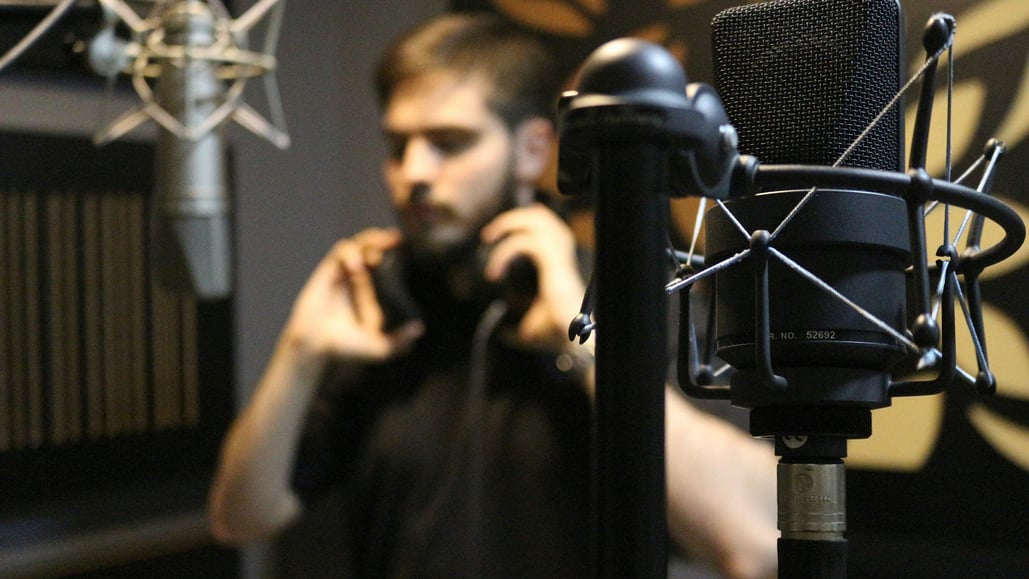
When diving into the best gear recommendations for recording voice-overs, we must begin and end with the all-important microphone. Voice-overs are best recorded in quiet, controlled spaces where you don’t have to worry about external noises or distractions.
Because of this, you don’t need microphones designed for field recording. Instead, your best bet will be to use professional microphones that could also be used for podcasting or other types of controlled audio recording.
One of our top picks is the Shure SM7B, a professional dynamic microphone that features a built-in preamp and sufficient gain for both beginner and advanced audio recorders. If you’d like to further explore more options, here’s our complete guide on the best voice-over microphones for your YouTube videos.
Best voice over background music
After the microphone, which is going to be your first most significant decision for how to best record voice overs for videos, you’re going to want to decide on the right music to use in the background of your videos.
Now, you might be asking yourself why you want to use music in your videos. And, in truth, there are times when you might not want any music at all. However, unless you’re recording audio for a scene in a movie or project that’s meant to feel lifeless and bland, background music will be your best tool to add depth to your scenes by providing a dynamic soundtrack.
To help you find the best background music for voice overs specifically, here are some of our top royalty free background music options to consider for your videos and projects.
Description: A medium energy, corporate / jingle song best described as romantic and happy. Acoustic guitar and piano are the primary instruments in this track.
Description: A low-energy, hip-hop song best described as reflective and calm. Bass and guitar are the primary instruments in this track.
Description: A very low-energy, ambient song best described as calm and reflective. Rhodes and piano are the primary instruments in this track.
Description: A low-energy, electronic song best described as chill and hopeful. Synth and ambient tones are the primary instruments in this track.
Cast Iron by Midnight Daydream
Description: A low-energy, ambient song best described as chill and reflective. The guitar and electric guitar are the primary instruments on this track.
Next Contestant Please by Liberty
Description: A low-energy, corporate song best described as quirky and fun. Organs and drums are the primary instruments in this track.
Majestic Skies by Strength To Last
Description: A medium-energy, electronic song best described as chill and happy. Ambient tones and drums are the primary instruments in this track.
Description: A medium-energy, electronic song best described as chill and fun. Bass and synth bass are the primary instruments in this track.
Description: A medium-energy jazz song best described as fun and quirky. Bass and upright bass are the primary instruments in this track.
Elevator Music by Dresden, The Flamingo
Description: A low-energy jazz song best described as calm and romantic. Percussion and drums are the primary instruments in this track.
These are just a few selections, though, for your information. We have plenty more high-quality royalty free music to explore in the full Soundstripe library. If you have more concerns about using background music in your videos, here’s a helpful guide on how to use royalty free background music in your projects.
Tips for recording voice overs

Now, as for tips for how to do voice overs for videos, let’s go over some best practices to keep in mind when recording voice-overs specifically.
- When selecting the right microphone for recording your voiceovers, conduct thorough research on how microphones work and determine the type that best suits your various audio needs. (Here’s a great guide on the different types of microphones.)
- Record your audio in enclosed and controlled spaces where there won’t be any outside noises or distractions.
- Speak slowly and clearly in your voice-overs.
- If you have time, try multiple variations of line readings. You can always delete unwanted attempts later.
Editing tricks for working with voice overs
As for editing tricks, working with voice-overs is similar to working with any other type of audio. When mixing voice-over audio with your background music, it follows a similar process to working with other soundtrack music and audio types, such as dialogue.
Here are some helpful tips for incorporating audio and music into your videos.
- Consider downloading preview tracks to use as placeholders in your edits before deciding if a track is right for your project.
- Explore our library of royalty free sound effects to add extra energy and action to your videos.
- Try out Soundstripe’s AI Song Editor to instantly edit your audio track to match the length of your videos.
More video and audio editing resources

These basic definitions, recommendations, and tips will help you with recording voice-overs for your videos and projects. If you’d like to find some more support for your audio work, here are some additional articles worth checking out from the Soundstripe blog.