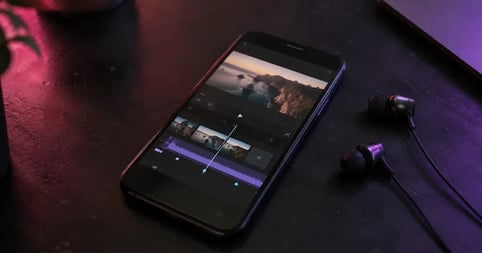
To add music in VN Video Editor, tap the music layer sitting above your video clips, choose Music, then pull a track from VN's built-in library, a file already on your device, or audio extracted from another video. Trim it, set the volume, done. The harder question is whether the track you just dropped in is cleared for wherever you're about to publish.
VN has become one of the editors creators actually reach for on a phone. It's free, it doesn't stamp a watermark on your export, and the timeline behaves like a desktop editor. What it won't tell you is anything about the licensing on the audio you put into it.
This guide covers the interface path, where that audio comes from, which sources carry a licence, what happens once you publish, and how to pick tracks that hold up.
Your edit is done. Is the music cleared?
Know what your soundtrack is licensed for before the finished video ever leaves your timeline.

What VN Video Editor is
VN Video Editor is a free multi-track editing app from Ubiquiti Labs, available on iPhone, iPad, Android, Windows, and macOS. It exports without a watermark, and the desktop version exports up to 4K at 60fps and handles Dolby Vision HDR. It also ships an in-app library of music and sound effects.
That library is where creators get tripped up. It sits right there in the app, so it feels like permission comes attached. Nothing is stated at all. VN publishes no terms on where its built-in audio is licensed to go, unlike how to add music to CapCut, where the platform at least documents restrictions on some tracks.
How to add music to VN Video Editor
Adding music in VN takes six steps once you know where the audio layer lives. Music, sound effects, and voice recordings all sit on one layer above your video track, and every source routes through the same menu. The steps below match VN's own documentation.
How to add music to VN Video Editor
- Open your project and select the music layer
Open your VN project. Above your video clips there's a separate audio layer marked with a music icon. Tap it.
- Choose Music from the options that appear
VN splits audio into music, sound effects, and voice recording. Choose Music to open the library.
- Pick your source: library, device file, or extracted audio
Select a track from VN's built-in library, import a file through the Files app, or use Extract from Video to pull audio from a video you already have.
- Trim the track to your timeline
Drag the handle at either end of the audio clip to shorten or extend it. Zoom in first if the edit needs to land on an exact frame.
- Set the volume against your video audio
Tap the music clip to adjust its volume, then apply a fade in or fade out so the track doesn't cut in abruptly.
- Mark your beats before you cut
Tap the music track and select Beats. Place beat points by hand at 0.5x or 1x playback, or tap Auto Beats and use the slider to adjust how often they land.
Extract audio from another video
Extract from Video pulls audio out of a video file and files it under Extracted from Video in your music library. Useful for reusing a voiceover you already recorded. VN's audio documentation also lists downloading a video from a third-party source as one way to get a file to extract from, which is worth reading twice. Ripping audio from someone else's upload is the fastest route into a claim, and the app won't warn you.
Sync your cuts to the beat
Beat marking is what makes VN worth the download for short-form work. Auto Beats reads the track and drops markers automatically, and you can nudge each one by 0.05 seconds or place them by hand at half speed. Cut on the markers and a thirty second edit stops looking like a slideshow. What it can't change is what you're allowed to do with the track, so it's worth knowing what royalty free music covers first.
Where the music in a VN edit comes from
Every track on a VN timeline arrived by one of three routes, and they carry completely different risk. The app treats them identically. Your platform will not.
| Source | What it is | What you know about the licence |
|---|---|---|
| VN's built-in library | Music and sound effects bundled into the app | Nothing published. No stated terms on commercial use, monetization, or platform coverage. |
| A file on your device | Anything the Files app can read | Whatever licence came with that file. If you didn't license it, you don't have one. |
| Audio extracted from a video | Sound pulled out of another video file | Not licensed to you at all, unless you made the original. |
This isn't unique to VN. Free audio bundled into a free editor is usually cleared inside that editor's own ecosystem and nowhere else, and the terms often go unstated. That gap bites hardest on client work, where the same cut gets repurposed to a website, a paid ad, and three social channels. Royalty free music for commercial use covers what a licence needs to say to hold up across all of them.
What happens after you publish
Nothing about your choice of editor reaches the platform. Once a VN export is uploaded it gets scanned like any other file, and the audio is what gets matched.
On YouTube a match generates an automatic claim, and the owner's setting decides what follows. Owners can monetize, track, or block a claimed video, monetize is the most common policy on music claims, and Shorts between one and three minutes get blocked outright when a claim is active, regardless of policy. Outcomes can differ by country. The mechanics are in Content ID claims, and if you're already licensed, clear YouTube content claims covers getting them released.
TikTok splits the problem by account type. Business Accounts only see the Commercial Music Library when they add sound, a catalog of one million songs that's free for businesses, while personal accounts see everything. Both libraries stop at the edge of the platform, and regional availability varies. The breakdown is in the TikTok music library guide.
Choosing music that fits a VN edit
Short-form edits are unforgiving about tempo. A track at 90 BPM gives you a cut roughly every two thirds of a second on the quarter note, which suits talking-head content. At 140 the same cut lands under half a second apart, which only works if the footage is genuinely kinetic. Auto Beats will happily mark a track that's wrong for your footage, so pick the tempo before the song, and favour tracks with a clear intro over ones that open on the drop.
Soundstripe's catalog runs 116,000 tracks and roughly 100K sound effects, filterable by BPM, key, mood, and genre. That's the fastest way to match a tempo to footage you've already shot. If you're unsure where a song you found elsewhere leaves you, how to tell if a song is copyrighted is the place to start.
Find the track your footage needs.
Filter by tempo and mood, then drop the track straight into the edit you already built.
Frequently asked questions
In most cases you can't do it legally. VN can extract audio from a video file on your device, and its documentation lists downloading video from a third-party source as one way to get one. But a song ripped from a YouTube upload is still licensed to whoever owns it, and separating the audio changes nothing. If your edit is going anywhere public, license the track instead.
Yes. VN is free on iPhone, iPad, Android, Windows, and macOS, with in-app purchases for some features. Free to use is a separate question from cleared to publish. The app costing nothing says nothing about the licensing on music you add to it.
Yes. VN exports without a watermark on the free tier, which is a large part of why creators choose it. A watermark is a branding question, not a copyright one. Your export can be completely clean and still pick up a claim on the audio.
Any source that gives you an audio file your device can read will import through VN's audio menu. The question is what licence arrives with it. A licensed library gives you a track cleared for commercial use on the platforms you publish to, which free download sites and audio pulled from other people's videos do not.
Yes, within limits. VN handles multi-track timelines, keyframes, and 4K export with HDR on desktop, which covers most short-form client work. The constraint on professional use is rarely the editor. It's whether the music in the timeline is licensed for a paying client's channels.