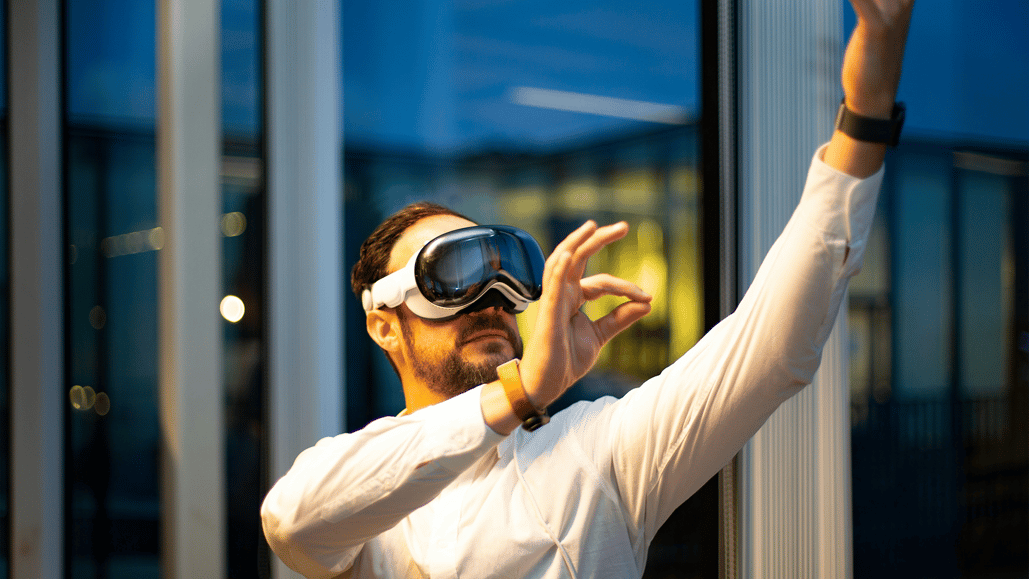
In an industry that’s always looking for the next big thing, immersive video might be the next major frontier for film and video professionals. When Apple introduced the Vision Pro mixed reality headset in the summer of 2023, it put the world on notice that virtual reality was about to take a major step forward.
Now, with Apple Immersive Video as an included recording feature in the iPhone 15, the format continues to grow in popularity and use. However, immersive video is still relatively new.
If you’re looking for some pointers on how to get started with immersive vr video, and specifically how to use copyright music in your Apple Immersive Video projects for the Vision Pro, then we’re here to help.
Using music with immersive video

Now, since we are very much in the earliest stages of immersive video and virtual reality content, there’s a lot that could still change in how these VR experiences are captured, edited, and presented.
As you might expect, music in Apple Immersive Video is a multi-sensory experience with the Apple Vision Pro. To go along with the 180-degree 8K video that you see, the Vision Pro offers Spatial Audio, which makes sounds seem to come from all around the listener.
There’s also no TikTok for VR just yet, but as content creation in this format continues to grow, we do know one thing. Music will absolutely be a massive part of immersive video and content. However, as you’ll find with any other social video apps or formats, finding and properly licensing the right music for your projects will still have many of the same challenges.
Understanding the types of music copyrights
If you’d like to do some research into what these challenges are for licensing music for virtual reality or immersive video (or any other types of video content or projects), we’re here to help go over some of the main types of music copyrights and how they work.
To begin, we’d like for you to check out this article on the types of music rights and royalties. This will explain the differences between master, common, and music publishing rights in song ownership.
The biggest thing you should take away from this, though, is simply that all songs have natural copyrights associated with them. If these copyrights are not properly licensed and compensated, any content violating them can be muted, taken down, or result in accounts or channels being banned.
To learn more about these potential repercussions, here’s another helpful guide that covers all the details about how music copyrights work.
Using copyrighted music in Apple Immersive Video

To further explore how to use copyrighted music, particularly in your immersive video projects, whether for Apple Immersive Video recorded for the Vision Pro or elsewhere, let’s go over some basics. To avoid any concerns about copyright violations or takedowns, it is advisable to consult a professional.
Your best bet, by far, is to use proven music licensing resources, such as Soundstripe, to access high-quality, royalty free music that has been pre-cleared for all your marketing purposes. This ensures it's safe to share across all your social channels and platforms.
Soundstripe offers fully licensed and cleared music for subscribers to use in their videos and content. The artists have been compensated, and as a Soundstripe subscriber, you can use any song or sound effect in our libraries in your videos without paying additional royalties or fees—hence the “royalty free” term.
Royalty free music can be an excellent option for your immersive videos simply because it’s easy to find and use. Soundstripe’s music is composed and recorded by Grammy-winning artists who know how to make great music for all types of films and video content.
The best royalty free Apple Vision Pro music to use in your immersive videos
We’re doing a lot of explaining here! It might be easier to just let you hear what some of the best royalty free music for immersive videos sounds like. Here are some top selections that we’d recommend considering for your immersive projects.
1. Space Child by Cast Of Characters
- Description: A low-energy, hip-hop song best described as chill and quirky. Drums and electronic drums are the primary instruments in this track.
- BPM: 92
- Key: A Minor
- Listen and license here
2. Wild and Free by Andrew Jordan
- Description: A high-energy, electronic song best described as fun and inspiring. Drums and samples are the primary instruments in this track.
- BPM: 160
- Key: A Minor
- Listen and license here
- Description: A high-energy, electronic song best described as angry and suspenseful. Ambient tones and bass are the primary instruments in this track.
- BPM: 100
- Key: F Major
- Listen and license here
- Description: A low-energy, underscore song best described as hopeful and inspiring. Synth and guitar are the primary instruments in this track.
- BPM: 90
- Key: A Major
- Listen and license here
5. Majestic Skies by Strength To Last
- Description: A medium-energy, electronic song best described as chill and happy. Ambient tones and drums are the primary instruments in this track.
- BPM: 90
- Key: Bb/A# Major
- Listen and license here
6. A Quiet Place by Gold Coast
- Description: A low-energy, ambient song that is best described as inspiring. Ambient tones and strings are the primary instruments in this track.
- BPM: 92
- Key: F Major
- Listen and license here
- Description: A medium-energy, electronic song best described as chill and fun. Bass and drums are the primary instruments in this track.
- BPM: 88
- Key: F Minor
- Listen and license here
- Description: A low-energy, electronic song best described as reflective and hopeful. Synth and ambient tones are the primary instruments in this track.
- BPM: 121
- Key: B Major
- Listen and license here
- Description: A high-energy, electronic song best described as chill and fun. Bass and synth bass are the primary instruments in this track.
- BPM: 128
- Key: A Minor
- Listen and license here
- Description: A high-energy rock song best described as angry and reflective. Ambient tones and bass are the primary instruments in this track.
- BPM: 130
- Key: C Minor
- Listen and license here
More tips for working with copyrighted music in immersive videos

As we mentioned at the beginning, immersive video is still a relatively new format for content and entertainment. But, as the Apple Vision Pro continues to grow in popularity (perhaps slowly) and with more advancements in this technology, immersive video is one of the few new frontiers for content.
If you’d like to stay ahead of the game and start leveling up your immersive video skills now, specifically with how you work with copyrighted music, here are some helpful tips to keep in mind.
- The latest Apple iPhone models will be your lowest barrier to entry to get started with recorded Apple Immersive Video, and it is a great place to start.
- If you’d like to try recording high-end immersive video, the Blackmagic URSA Cine Immersive camera is currently the only cinema camera offering the capability. (However, it is quite the investment.)
- You can edit Apple Immersive Video in Apple’s Final Cut Pro NLE; however, you can also work with Apple Immersive Video in DaVinci Resolve, too.
Hopefully, these explanations of how music copyrights and licensing have put you on the right track to find, license, and use the best royalty free music for your immersive videos. So, get out there, get your headset on, and start exploring the new frontier of content creation.