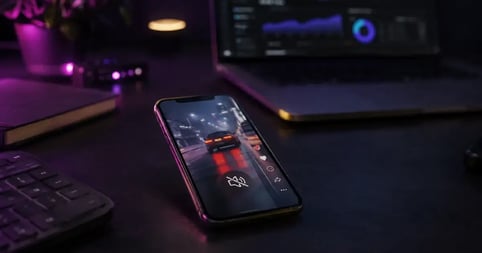
Adobe’s renowned video editing platform, Premiere Pro, is now available on smartphones. Adobe has just announced that Premiere will be available as an iPhone app, downloadable for free from the Apple App Store.
This is big news for those who work in content and video creation, particularly with those who prefer to work directly on their smartphones. Although with a brand as iconic and recognized as Adobe, the impact of this new Premiere Pro Mobile app will reach much further.
Professional video editors will now have an on-the-go option for remote editing, and advertisers and marketers who have been intimidated by the desktop version of Premiere Pro will likely have a new, easier avenue to explore video editing.
Let’s take a look at everything you should know about this exciting new addition of Adobe Premiere for iPhone and explore some of the best royalty free music to eventually use with this Adobe mobile video editor.
Introducing Adobe Premiere for iPhone
Adobe Premiere is one of the most trusted editing tools for YouTubers, filmmakers, music video editors, and everyone else in between. However, as a desktop application, it can be intimidating and inaccessible to a new generation of mobile content creators.
Adobe is no stranger to mobile video editing, though, as Premiere Rush has been a popular option for smartphone video editing. However, with the announcement of Adobe Premiere on iPhones, the company has revealed that Adobe Rush will no longer be available on Adobe.com or app stores.
If you’ve already installed the app, you can continue to use it until September 30, 2026. However, Adobe encourages all users to make the transition to Adobe Premiere on iPhone.
Getting started with Adobe Premiere Mobile
While this is significant and exciting news in itself, Adobe is taking it a step further, as they have also revealed that the new Adobe mobile video editing app will be free to download and use.
The company promises to bring the same creative power that filmmakers, designers, animators, and YouTube creators have used to produce hit commercials, iconic music videos, Oscar-winning films, and viral content to the most convenient place to move from capture to publish.
The new Adobe Premiere Pro for iPhone app will feature many familiar features similar to the desktop version, including a multi-track timeline with vibrant colors and dynamic audio waveforms.
Adobe reports that users will still have the freedom to trim, layer, and fine-tune with frame-accurate precision with a new system built specifically for mobile.
The app will also support new features, including automatic captions with stylized subtitles, unlimited video, audio, and text layers, support for 4K HDR, and more.
The best royalty free music for Adobe Premiere

Yet, while this is all exciting for sure, it does give us a chance to remind everyone (specifically all of you newer, younger content creators and video editors) that while you can use whatever music and sound effects that you want in your edits, posting content online or for marketing purposes with music that you haven’t properly licensed can have serious consequences.
To help you get started with Adobe Premiere on your iPhone, let’s go over some of our top picks for the best royalty free music to consider using in your videos. These picks come from our list of the best royalty free music for Premiere Pro, which will cover everything you need for either the desktop or this new mobile version of Adobe’s legacy NLE.
1. What Could Have Been Nu Alkemi$t
- Description: A low-energy, hip-hop song best described as chill and fun. Bass and synth bass are the primary instruments in this track.
- BPM: 86
- Key: D Minor
- Listen and license here
- Description: A low-energy, acoustic song best described as inspiring and hopeful. Guitar and acoustic guitar are the primary instruments in this track.
- BPM: 150
- Key: F Major
- Listen and license here
3. Faded Footsteps by Alsever Lake
- Description: A very low-energy, acoustic song best described as calm and reflective. Guitar and acoustic guitar are the primary instruments in this track.
- BPM: 100
- Key: C Minor
- Listen and license here
- Description: A low-energy pop song best described as chill and quirky. Whistling and guitar are the primary instruments in this track.
- BPM: 140
- Key: Ab/G# Minor
- Listen and license here
- Description: A high-energy rock song best described as fun and inspiring. Ambient tones and drums are the primary instruments in this track.
- BPM: 135
- Key: B Major
- Listen and license here
6. TPS Report by Adrian Walther
- Description: A medium-energy rock song best described as fun and happy. The guitar and electric guitar are the primary instruments on this track.
- BPM: 170
- Key: E Major
- Listen and license here
- Description: A medium-energy pop song best described as fun and happy. Organ and bass are the primary instruments in this track.
- BPM: 135
- Key: A Major
- Listen and license here
8. Galaxy Glider by Ghost Beatz
- Description: A low-energy, electronic song best described as chill and fun. Synth and bass are the primary instruments in this track.
- BPM: 80
- Key: C Minor
- Listen and license here
- Description: A medium-energy, electronic song best described as fun and happy. Rhodes and synth are the primary instruments in this track.
- BPM: 122
- Key: G Major
- Listen and license here
10. Edge Of Victory by Dr. Delight
- Description: A medium-energy, hip-hop song best described as inspiring and suspenseful. Horns and bass are the primary instruments in this track.
- BPM: 90
- Key: G Minor
- Listen and license here
These are just ten songs from our vast collection, which you can explore for more great tracks in our full catalog on the Soundstripe app.
What is royalty free music?
Additionally, for those new to content and video editing, we will address any questions you may have about what royalty free music is and how music licensing for video works. If you have queries about music for video, here’s a great primer on what royalty free music means.
To understand how music royalties work, you must know that all music has basic copyrights. These copyrights extend to both the composer of the music and the musicians who performed and recorded it. And if you want to use any music in any short films or other projects, you’ll need to obtain permission from the copyright owners.
Royalty free music can be an excellent option for all your edits simply because it’s easy to find and use. Soundstripe’s music is composed and recorded by Grammy-winning artists who specialize in creating exceptional music for all types of films and video content.
Tips for working with Adobe Premiere for Mobile

With Adobe Premiere for iPhone just being announced, there’s still a lot to discover about this exciting new app. Adobe will undoubtedly provide plenty of helpful resources for working with this mobile editing platform in the future.
However, if you’re looking for some tips to get started, here are some helpful points to keep in mind when firing up Adobe Premiere on your iPhone for the first time.
- Consider downloading preview tracks to use as placeholders in your edits.
- Be sure to check out our library of royalty free sound effects to give your edits even more impact in Adobe Premiere.
- If you transfer your edit to the desktop version of Premiere Pro, consider checking out the Soundstripe extension for Premiere Pro, as well as some other useful plugins and extensions.
- Try out Soundstripe’s AI Song Editor to instantly edit your audio track to match the length of your Premiere Pro projects.
If you’re ready to dive in, you can get started with Adobe Premiere on your iPhone by downloading the app for free from the Apple App Store here.