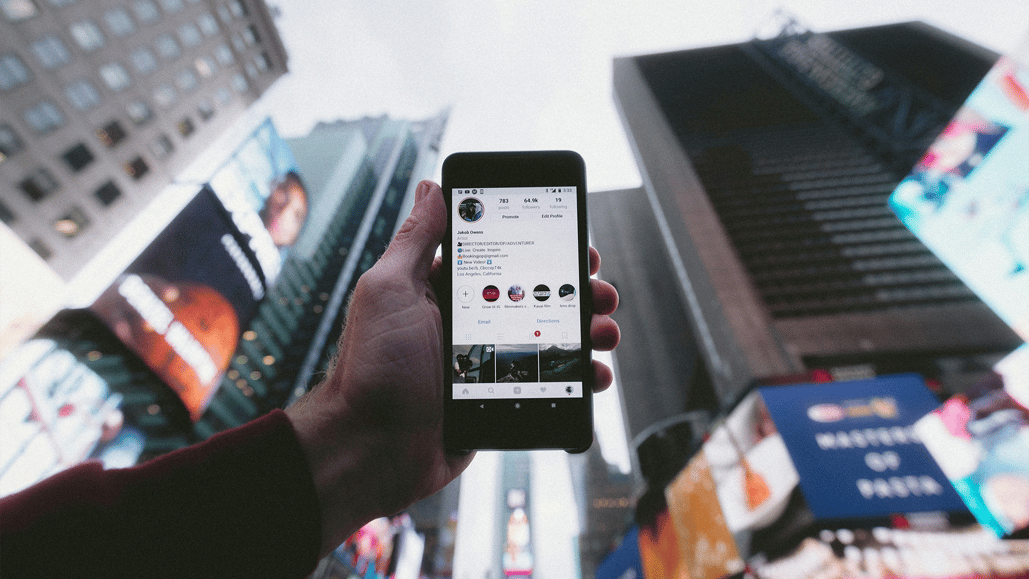
If you’ve opened Instagram recently, you’ve likely noticed that there’s a new way in which individuals and brands are posting on the popular image-and-video sharing platform. Perhaps quietly at first, Instagram has a new feature called Collab Posts that is slowly becoming more and more popular with all types of creators and accounts.
You’ve likely seen posts from a favorite account of yours that has multiple accounts listed as the poster. These Collab Posts come in all shapes and sizes, both in your image feed as well as with Reels and other content types.
But what is an Instagram collab, and why are so many creators and brands using it? If you’ve ever wondered what is a collab on Instagram or how to get started, this guide will walk you through everything you need to know.
We’ll also give you some hand-picked royalty free music tracks to use with these Instagram Collab Posts that will keep your posts safe from any copyright flags or infringements.
Let’s dive in.
What is an Instagram collab post?

Launched by Instagram back in 2021, Collab Posts have slowly been becoming more popular with different creators, brands, and individual accounts. It’s a pretty simple concept: Instagram Collab Posts are Instagram posts that are published by more than one account.
Instagram Collab Posts can be single-image posts, carousel posts, or even an Instagram Reel. A good way to think about them is that Instagram Collab posts are a step up from being tagged in a post. Instead of a tag, a post can be shared by co-authors.
Instagram Collab Posts appear on the Instagram timeline for the followers of any of the accounts in collaboration, and all names appear as the author account at the top. Instagram Collab Posts are a great option for brands looking to partner with individual creators or friends to co-post their trip highlights.
Couples use Instagram Collab Posts to announce engagements, marriages, and child births, and there are a million creative ways to create Collab Posts still yet to be explored.
How to do a collab post on Instagram
If you’re wondering how to collab post on Instagram, the process is straightforward. When creating a new post, you’ll see an option to add a collaborator on Instagram. This allows you to send an invite to another account so they can join as a co-author.
Collab Posts work by allowing the original author of a post to tag another private or public account as a collaborator. The other account tagged can then either accept or deny the request.
If the other account accepts, the post will also show on their profile and be distributed to their followers in their Instagram feed. If they decline, the post will not show up on their page. Instagram also allows the original author to add or remove a collaborator at any time.
If you’ve received one and aren’t sure what to do, here’s how to accept a Collab Post on Instagram: simply check your notifications, review the invite, and approve it to have the content published to both profiles.
From Instagram’s official page, here are a few specifications to keep in mind about Instagram co-authored posts:
- The original author is the post’s primary author. If the original author blocks the collaborator or the collaborator blocks the original author, the collaboration will end. The collaborator can also leave the collaboration at any time. However, in all of these cases, the post will still be preserved on the original author’s profile.
- The original author’s account settings will determine the settings for the post. If the original author switches their account to private, only their account’s followers can see the post.
- The original author owns the post. If the original author deletes the post, it will be removed from the collaborator’s profile as well.
- The original author’s account maintains the post. If the original author deactivates their account, the post no longer exists. It will be removed from the collaborator’s profile as well. However, if the original author reactivates their account, the post will be restored on both the original author’s and the collaborator’s profile.
You can read more about Instagram Collab Posts on Instagram’s website here.
The best royalty free music to use in Instagram Collab Posts

Now that we’ve gone over what Instagram Collab Posts are and how they work, let’s move on to the next most important thing that every Instagram Collab Post needs: Music. Whether it’s a single-image or a cinematic Instagram Reel, a Collab Post can (and, we’d argue, should) use music in it, as well as understand how to use copyrighted music on instagram legally.
However, not just any more will do. To give you a sample of what we’d recommend, here are some hand-picked royalty free music tracks that would all be great options for your Instagram Collab Posts.
- Description: A medium energy, electronic song that is best described as fun and happy. Synth and bass are the primary instruments in this track.
- BPM: 107
- Key: E Minor
- Listen and license here
2. L’amour Au Café by Rêves Français
- Description: A low-energy jazz song that is best described as romantic and happy. The accordion and piano are the primary instruments in this track.
- BPM: 135
- Key: F Major
- Listen and license here
- Description: A medium energy, pop song that is best described as fun and happy. Synth and bass are the primary instruments in this track.
- BPM: 104
- Key: D Major
- Listen and license here
- Description: A medium-energy, electronic song that is best described as angry. Synth and bass are the primary instruments in this track.
- BPM: 120
- Key: F Minor
- Listen and license here
5. Pull The Plug by Cody Martin
- Description: A medium energy, electronic song that is best described as scary and suspenseful. Synth and bass are the primary instruments in this track.
- BPM: 110
- Key: D Minor
- Listen and license here
These are just some of our top picks. If you’d like to explore our entire royalty free music track library, we highly recommend checking out all of our music on our Soundstripe app.
What is royalty free music
We’ve also mentioned a term above a few times that we should further explore. Let’s look at what the term “royalty free” means regarding music licensing for your projects. Here’s a great read on what royalty free music means.
To understand how music rights and royalties work, you must know that all music has basic copyrights. These copyrights extend to both the composer of the music and the musicians who recorded it. And if you want to use any music in any videos, you’ll need to obtain permission from the copyright owners.
Royalty free music can be an excellent option for all your projects simply because it’s easy to find and use. Soundstripe’s music is composed and recorded by Grammy-winning artists who know how to make great music for all types of films and video content.
Tips for creating Instagram Collab Posts

At the end of the day, Instagram Collab Posts aren’t very hard to try out yourself. They’re a fun way to bring friends together or a formal way to show a relationship between an influencer and a brand.
If you are interested in creating Instagram Collab Posts and incorporating music, here are some tips to keep in mind.
- Consider downloading preview tracks to use as placeholders in your edits before deciding if a track is right for your project.
- Explore our library of royalty-free sound effects to add extra energy and action to your animated videos.
- Try out Soundstripe’s AI Song Editor to instantly edit your audio track to match the length of your videos.
Hopefully, these definitions, tips, and tricks have been helpful to your Instagram content creation adventure. If you’re looking for more help with making money on Instagram, you can find out more about setting up monetization on your Instagram accounts here.