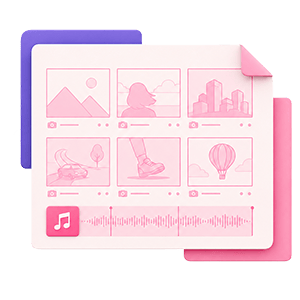
A storyboard template is a pre-formatted, blank grid or sequence of panels used to plan any visual project scene by scene. Directors, animators, and video creators use it to sketch shots, map narrative flow, and specify camera angles before a single frame is filmed. The format traces back to Walt Disney Studios in the 1930s and has remained the core pre-production planning tool in film, TV, animation, advertising, UX design, and YouTube content.
Every standard storyboard template includes five core fields: a frame panel for sketches, a scene and shot number, a visual description, camera notes, and an audio/dialogue row for music cues and spoken lines. Most printable versions offer 2, 3, 4, or 6 panels per page; digital projects can run 60 or more panels across a single board.
This guide covers what goes in each template field (including the audio row most guides skip), the 7 storyboarding steps, free PDF and Word formats, the best storyboard software for 2026, how to make a storyboard in any format, and project-specific templates for film, animation, YouTube, and UX work.
Plan every shot. Then cue the right soundtrack.
Find tracks for each cue before your final cut.
What is a storyboard template?
Definition and core purpose
A storyboard template gives you a structured, repeatable format so you can focus on planning shots instead of building a layout from scratch. The film storyboarding origins trace back to Walt Disney Studios in the 1930s, and the format has been a production standard ever since. Each panel represents one shot or scene beat, with dedicated fields for the sketch, technical camera information, and audio.
Storyboards appear in film, TV, animation, advertising, and UX design. A well-filled template aligns every department on the visual plan before production day arrives, which is what makes visual storytelling consistent from brief to final cut. Without a template, pre-production planning collapses into loose thumbnail sketches, scattered notes, or written-only scripts that leave your crew guessing.
Storyboard vs. shot list vs. shooting script
These three pre-production documents appear in every production workflow, and creators often confuse them. A storyboard is a visual panel-by-panel sketch of each shot, showing composition and camera intent. A shot list is a written table tracking every shot's technical details, order, and setup requirements. A shooting script is an annotated version of the script with scene numbers and shot markers added by the director or script supervisor.
All three are used together, not interchangeably. The storyboard communicates visual intent; the shot list template is derived from it and drives on-set logistics; the shooting script tracks continuity alongside both. The shot list is generated from the completed storyboard, not the other way around.
What goes in a storyboard template?
A standard storyboard template features five sequential fields per panel, and each one serves a distinct purpose in the production workflow. The audio row gets more operational depth here than in most storyboarding guides, because that is where music cues actually get planned.
For a broader look at what else belongs in your planning phase, see these pre-production rules that apply before you open any template.
Frame/panel: where to sketch each shot
The frame or panel is the large blank box at the center of each row. You sketch the visual content of the shot here: character positions, subject placement, foreground and background elements, and the implied camera viewpoint. Stick figures and basic shapes are fine. The goal is communicating framing intent, not artistic quality.
Most templates set the panel at a 16:9 aspect ratio by default to match YouTube, broadcast TV, and most streaming platforms.
Scene and shot numbers
Every panel carries a scene number and a shot number. Scene numbers track which part of the script you are in; shot numbers track the individual camera setup within that scene. Consistent numbering lets your crew find any panel on set instantly and ties the storyboard directly to your shot list.
A common convention: Scene 3, Shot 2 becomes "3-2" in the panel's top corner.
Visual description notes
Below the sketch, a short text field holds the scene description: what is happening in the frame, which character is doing what, and which prop or set element the camera must capture. Keep this to two or three sentences. The scene description supplements the sketch for any crew member who cannot read a drawing quickly on set.
This field is also where you note which script beat the shot covers, connecting your visual storytelling plan back to the treatment stage.
Camera notes and shot sizes
The camera notes field specifies how the shot is technically executed. Every panel should include three pieces of information: shot size, camera angle, and camera movement.
Shot sizes to use: extreme close-up (ECU), close-up (CU), medium shot (MS), wide shot (WS), and establishing shot (ES). Camera angles: eye-level, high angle, low angle, and Dutch angle. Camera movements: static, pan left or right, tilt up or down, zoom in or out, and dolly forward or back.
These camera angles and camera movements are the shared language directors and cinematographers use on set. Specific notation here eliminates the on-set negotiation that slows production down.
Audio, dialogue, and music cues
The audio/dialogue row is the most underused field in any storyboard template. Most storyboarding guides tell you to "note sound effects, music cues, or spoken lines" and stop there. Here is the operational depth that row actually requires.
Dialogue: Write the exact spoken line that plays over or in this panel.
Sound effects (diegetic audio): Note on-screen audio tied to the visual. For example: "car door slam, medium distance."
Music cues (non-diegetic audio): Write the genre, mood descriptor, approximate duration, and the visual moment that triggers the cue. A complete music cue notation looks like this: "upbeat indie pop, 0:08 to 0:22, starts on product reveal cut."
Three practical notation conventions to follow in your audio row:
- Genre plus tempo descriptor (for example: "slow cinematic swell" or "uptempo hip-hop beat")
- Reference track title in brackets for any temp track you have in mind (for example: "[Temp: Track Name]")
- Cue in and cue out timestamps tied to a specific visual cut or on-screen action
Distinguishing diegetic from non-diegetic audio matters because it determines which sounds need on-set capture and which need to be cleared or licensed before post-production begins.
Once your audio row has cue descriptions mapped, those descriptions need real, cleared music behind them. Soundstripe's catalog of 116,000+ tracks from working artists is organized by mood, tempo, and genre, and it covers licensing for any platform with a single subscription. Match your storyboard cues to actual tracks before the camera rolls, not in post when options narrow. Browse Soundstripe's catalog and fill those audio rows with music that is production-ready.
The 7 steps in storyboarding
Storyboarding sits inside pre-production, the first of the three stages of production that every video project moves through.
Step 2: Write or break down the script into scenes and beats
Step 3: Choose your template format
Step 4: Sketch rough thumbnail sketches in each panel
Step 5: Add camera notes
Step 6: Fill in the audio/dialogue row
Step 7: Review the panel sequence for narrative flow; revise and share
Free storyboard template formats
Choosing the right format depends on how you work: printing and annotating on set, editing collaboratively in a browser, or building a shareable brief for a client. Each of the three categories below suits a different production style.
Printable storyboard template PDF
A storyboard template PDF is the most portable option. You print it, hand it to the crew, and annotate in real time without needing a screen. PDF layouts are available in 2, 3, 4, or 6 panels per page, and most default to a 16:9 panel aspect ratio for standard video production.
A free storyboard template in PDF format works best for solo creators and small crews who do not need real-time collaborative editing. The printable storyboard grid available through NYC.gov is a free, no-signup option designed for both classroom and production use.
Word and Google Docs templates
Word and Google Docs storyboard templates use editable text fields alongside sketch panels. They work well when the visual description and dialogue rows carry as much weight as the sketch, which is common in corporate video and tutorial content.
These formats support multiple rounds of feedback because the document stays editable throughout. Layouts range from 3 to 9 panels per page depending on how much detail each shot requires.
Digital and collaborative templates
Digital storyboard tools let teams work on the same board in real time. Drag-and-drop platforms, interactive whiteboards, and specialized storyboard software all fall into this category. They are the right choice when multiple departments need access simultaneously and when you plan to convert the storyboard into an animatic later.
Digital templates support custom aspect ratios, making it easy to switch between 16:9 for TV, 9:16 for vertical video, and 2.39:1 for cinema without reformatting a printed grid.
What program is best for storyboarding?
No single tool suits every project, but Toon Boom Storyboard Pro is the professional standard for animation and film. Free alternatives cover most indie and content-creator use cases well.
Toon Boom Storyboard Pro
Toon Boom Storyboard Pro is the industry-standard storyboard software for animation studios and film production companies. It supports animatics, camera timing, and full pre-production workflows in one application, and it outputs directly to the editing and animation pipelines used at major studios. Review Toon Boom's animation workflow for the current feature set and pricing. It is the right storyboard software when your board needs to become an animatic or when the director and DP need camera-timing precision tied to each panel.
Free tools: Storyboarder and Canva
Storyboarder is a free, open-source storyboard software that integrates with Photoshop and exports to major editing platforms. It is the most common choice for indie filmmakers and quick pre-visualization work. Canva offers a free drag-and-drop storyboard template builder with no technical setup; it suits simple visual boards where presentation matters more than precise camera notation.
Collaborative tools: Figma and Miro
Figma and FigJam support real-time team collaboration on storyboard layouts, which makes them popular for UX design storyboards and advertising pre-production where multiple stakeholders review frames at once. Neither is purpose-built for storyboarding the way Toon Boom is, but both export cleanly and integrate into existing team workflows.
| Tool | Best for | Free tier? | Notable export |
|---|---|---|---|
| Toon Boom Storyboard Pro | Animation, film, animatics | No | PDF, animatic, Final Cut, Premiere |
| Storyboarder | Indie film, quick pre-viz | Yes (open-source) | PDF, Photoshop, Final Draft |
| Canva | Simple visual boards | Yes | PDF, PNG, MP4 |
| Figma / FigJam | UX, collaborative review | Yes (limited) | PDF, PNG |
Tool comparison based on published product features as of 2026. Verify current pricing and capabilities before selecting.
Does Microsoft Word have a storyboard template?
Microsoft Word does not include a built-in labeled storyboard template, but you can create one by inserting a table and formatting panels in under 10 minutes. Set up a table with the number of columns matching your panel layout (2 or 3 across), add rows below each sketch cell for scene number, visual description, camera notes, and audio, then adjust column widths to match a 16:9 ratio.
If you prefer a ready-made file, a free Word storyboard template from EducationWorld is available in .doc and .docx formats with 4 to 8 panels per page. NYC.gov also offers a printable version compatible with Word. Other educational and production sources provide Word-compatible layouts in 3, 4, 6, 8, or 9 panel configurations, so you can match the panel count to your project's complexity without starting from scratch.
Can ChatGPT create storyboards?
ChatGPT can generate storyboard outlines, break scripts into scene and beat structures, and with its built-in image generation produce rough visual panels from text prompts. It cannot reliably maintain visual continuity across a multi-panel sequence.
What ChatGPT can do for storyboards
ChatGPT handles the planning layer of storyboarding well. Give it a script or a brief and it returns a shot-by-shot text description, scene numbering, and audio cue suggestions organized by panel. The government guide to storyboarding outlines what a complete traditional storyboard process looks like, and ChatGPT's text output maps reasonably well to that structure for simple projects.
ChatGPT can also analyze existing reference images and generate scene descriptions from them, which is useful for mood-boarding and visual reference work before committing to a full board.
Where ChatGPT falls short
Visual continuity is the core limitation. When you need a character to look the same across 12 panels, or when a camera move has to be technically precise, ChatGPT's image generation does not maintain that consistency across outputs. Character design, specific lens choices, and frame-accurate camera movement notation all require human review before a ChatGPT-generated board goes to a crew.
When to use AI vs. dedicated tools
Use ChatGPT for pre-visualization, script breakdown, initial scene-description drafting, and generating the text content of your audio rows. Move to Toon Boom Storyboard Pro, Figma, or a formatted storyboard template PDF for the actual panel layout, camera notation, and animatic export. The two approaches work best in sequence, not as substitutes for each other.
Storyboard templates by project type
Different projects call for different template formats. Here is how the standard five fields shift depending on the type of video production you are making.
Film and TV storyboard templates
Film and TV storyboards use wider panels, more detailed camera notation, and longer panel sequences than most other formats. Per film storyboarding standards, professional productions include a dedicated field for lens choice (focal length) alongside the standard camera angle and movement fields. A feature film storyboard may run 60 to 300 or more panels across multiple pages.
Camera angles and shot sizes are more granular on film boards: you will see notations like "35mm lens, low-angle Dutch" rather than simply "low-angle CU."
Animation storyboard templates
Animation storyboards include two fields that live-action boards typically omit: frame-count notation and character action lines. Frame count tells the animator how many frames each panel represents at the project's frame rate (typically 24fps). Character action lines use arrows drawn inside the panel to show the start and end position of a character's movement.
Animation storyboards feed directly into the animatic, which is a rough video sequence of the panels timed to audio. If your project ends in an animatic, your template needs the frame-count field from the start.
YouTube and social video templates
YouTube storyboards use 16:9 panels and typically run 6 to 20 frames for a 3 to 5 minute video, with each panel covering a distinct visual transition or B-roll cut. For YouTube Shorts, TikTok, or Instagram Reels, switch to 9:16 vertical panels and limit the board to 6 to 10 frames.
One practice most storyboard guides overlook: add a final panel for your planned YouTube thumbnail. Sketching it in your storyboard ensures that shot gets captured on production day.
UX and advertising storyboard templates
UX storyboards map user interaction states rather than camera shots. Each panel shows a screen state, a user action, and the resulting interface response. Camera notes are replaced by interaction notes (for example: "user taps 'confirm,' modal appears").
Advertising storyboards sit between UX and film formats: they require camera notation for the live-action portions and interaction notes for any digital or interactive elements. Panel counts for a 30-second commercial typically run 6 to 15 frames.
For a full breakdown of how storyboarding connects to the broader production arc, see the video production guide.
Conclusion
A well-built storyboard template does more than organize your sketches. It aligns your crew on visual intent before production day, reduces costly on-set surprises, and gives every department a shared reference document from pre-production through the final cut. Whether you reach for a free storyboard template PDF, a Word layout, or dedicated storyboard software, the five core fields stay the same: panel, shot number, visual description, camera notes, and the audio row where your music cues live.
Knowing how to make a storyboard is a skill that compounds across projects. Every board you complete teaches you to communicate shot intent faster, and that speed shows up on set. Start with the format that matches your workflow, fill in all five fields for every panel, and share the completed board with your crew before production day begins.
Fill every storyboard music cue before the shoot
Find cleared tracks before production day hits.
Frequently Asked Questions
A storyboard template is a pre-formatted, blank grid or sequence of panels used to plan any visual project scene by scene. Creators use it to sketch visuals, map narrative flow, and specify camera angles before filming begins. It reduces on-set improvisation and aligns the crew on the visual plan before production day.
The 7 storyboarding steps are: define objectives, break down the script, choose a format, sketch thumbnails, add camera notes, fill in audio cues, and revise. Each step builds on the last, moving from project-level clarity down to shot-level technical detail.
A storyboard template has five fields: a sketch panel, scene and shot number, visual description, camera notes, and an audio row for music cues. The camera notes field covers shot sizes (close-up, wide, establishing), camera angles, and camera movements (pan, zoom, dolly). The audio field should include music cue descriptions with mood, approximate duration, and the visual trigger moment.
Microsoft Word does not include a built-in storyboard template, but you can create one by inserting a table and formatting panels in under 10 minutes. Free Word-compatible storyboard templates in .doc and .docx formats are available from EducationWorld and NYC.gov, with layouts ranging from 3 to 9 panels.
Toon Boom Storyboard Pro is the professional standard for film and animation; for free projects, Storyboarder and Canva are the most common alternatives. Toon Boom Storyboard Pro supports animatics, camera timing, and full pre-production workflows used at major studios. Storyboarder is free, open-source, and integrates with Photoshop.
ChatGPT can generate storyboard outlines and rough visual panels, but it cannot maintain visual continuity across a multi-panel sequence. For script breakdown and pre-visualization of simple projects, ChatGPT is a useful starting point. For production-ready boards with precise framing and consistent character design, dedicated tools like Toon Boom Storyboard Pro are more reliable.
There is no fixed panel count; short commercials use 6 to 12 panels, while full film scripts may require 60 or more panels across multiple pages. Panel count is determined by how many distinct shots or scene changes exist in the script. Templates are commonly formatted as 2, 3, 4, or 6 panels per page to balance detail with readability.
A storyboard shows each shot as a visual sketch; a shot list is a written table of every shot's technical details, order, and setup. Both are pre-production documents used together: the storyboard communicates visual intent, while the shot list drives on-set logistics. The shot list is typically generated from the completed storyboard.
Use 16:9 panels for YouTube and TV, 2.39:1 for cinema widescreen, and 9:16 for vertical video intended for TikTok or Instagram Reels. Matching your panel aspect ratio to the delivery format helps the crew frame shots correctly during production. Most digital templates let you set this at the start; printable PDFs default to 16:9 unless specified otherwise.
No: storyboard panels work fine with stick figures, basic shapes, and rough outlines as long as camera angle and subject position are clear. Professional storyboard artists produce polished frames, but working directors commonly use stick-figure boards throughout production. The value is communicating framing intent, not artistic quality.
In animation, a storyboard template includes frame-count notation and character action lines in addition to the standard camera and audio fields. Animation storyboards show the start and end position of a character's movement within a panel, using arrows to indicate motion direction. They feed directly into the animatic before full production begins.
In the audio/dialogue row, write a music cue as: genre plus mood descriptor, approximate duration, and the visual moment that triggers the cue (for example: "upbeat indie pop, 0:08 to 0:22, starts on product reveal cut"). Distinguish between diegetic audio (on-screen sound), non-diegetic audio (licensed music or score), and dialogue. Marking the cue trigger helps editors and composers align the soundtrack to picture precisely in post-production.
Yes: YouTube storyboards use 16:9 panels and typically run 6 to 20 frames for a 3 to 5 minute video. For Shorts, Reels, or TikTok, switch to 9:16 vertical panels and limit the board to 6 to 10 frames. Adding thumbnail sketches for your planned YouTube thumbnail in the last panel is a common creator practice that most storyboard guides overlook.
No: a shooting script is a written document with scene and shot markers; a storyboard template is a visual panel sequence showing how each shot looks. A shooting script is used by directors and script supervisors to track continuity; a storyboard is used by directors and cinematographers to plan visual composition. Both are created in pre-production and used concurrently on complex productions.